Posts

Oh, you lost your cell phone and it's on vibrate?? As Beyoncé said- If you liked it then you shoulda put a ring on it.

Image
Dad joke alert! but a nice segue into this weeks blog looking at how a mobile can help in the world of ELT. Oh hello, did you miss me? What and when was your first phone? Do you remember? Mine was the Nokia 232 (1994), it was the phone that Alicia Silverstone's (dream girl alert) character had in Clueless! before like everyone else in the 90s I 'upgraded' to the 3210. Back then it wasn't that common to have a phone, nowadays you would be hard pressed to find someone without a Mobile, with the cheapest smart phones available from as little as £29 in the UK. Of course, this can be somewhat of a drawback, how many times have you been teaching a class only to note some plucky upstart sniggering away at their mobile? More than once I dare say.  Yet, mobiles are not going away, like it or not- they are a part of every day life and will be for at least the foreseeable future. So how can we utilise this to improve the classroom experience for these mobile wielding scamps? There...
Padding up your lessons- with Padlet!

Image
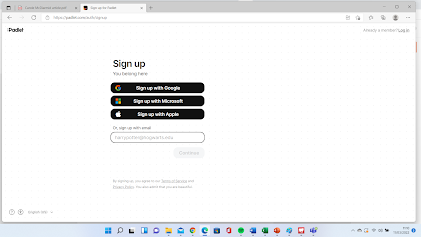
Oh hello you- I hope you enjoyed my Moira compilation last week and welcome to this weeks blog. Today I'm taking a look at Padlet. An online tool which can be used in class (pending T'internet access) and set as a (short) homework.  So what is it? In essence, it's effectively a noticeboard. You can post a topic/subject (a padlet) which your learners can then respond to. You will need to sign up for an account - you can do this using your google, Microsoft or Apple email address: Now it's important to note there is both a free and paid version of Padlet- The free version only allows you to post up to 3 Padlets- (you can delete and post new ones consistently of course) or you can pay $8 a month to be able to post unlimited Padlets- this is of course worth doing if you intend to make Padlets a regular part of your teaching. But should you? Let's  take  the Padlet adventure together and find out! Being a very poor student, I was unable to get the old moth collector out,...

Flip - Flip

Image
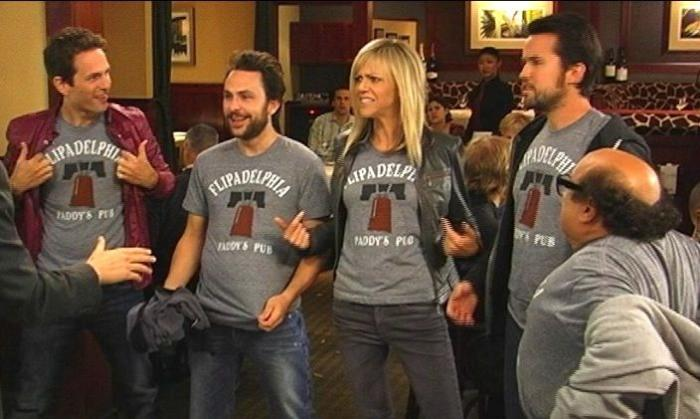
  FLIPADELPHIA Sorry for the confusion- but as much as I would enjoy writing about Sunny (one of my favourite shows) that was just a bit of fun word play, for today I am casting my beady eye over 'Flipgrid' and taking a look at this video based website:   Flipgrid | Empower Every Voice Now being a video based site, it would be remiss of me to not include a video introduction to flipgrid and this is one of the best: That's a really good introduction of what Flipgrid is and how to use it, but actually reviewing the tool- that's my job! I should note since that video- the site has updated a little (which is always a good sign- they are continually trying to improve it. Now when you first sign up- you will need to create a group- this is effectively your classroom (can add students to it). You can then create topics/assignments (the blue +topic button shown below) You will note there is already the introduce yourself topic, which is pre-loaded into every group, its perfectl...

Let's get lyrical, lyrical, I wanna get lyrical, lyrical

Image
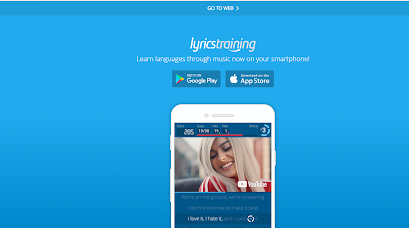
*insert shameless sexy dance here* Today I'm taking a look at https://lyricstraining.com/ and as you might have guessed from the title, this is a music based website. But what does it do? Well firstly, as a language teacher or 'instructor' if ya nasty, we can't just consider what happens in the classroom,  we also want to both consider and promote autonomous learning. The more autonomous a language learner becomes, the more likely they are to achieve high language proficiency . Lyricstraining is exactly that, a tool we can use to promote autonomous learning outside the classroom. To use the lyricstrainer, the user simply inputs missing word from music videos that are being played.  When you first go to the lyricstraining website- you will note from the picture below, you can download it as an app to your smartphone or tablet device (very handy) However, I proceeded to the website version of Lyricstraining, and hit sign up for a free account: You might note here that you...

Eddie Eddie Eddie....Oi Oi Oi

Image
  Well hello again, today I want you to consider what is inevitable, death, taxes, Thanos (pictured) and of course 'change'. Everything changes over time whether we like it or not. One recent change and coming at us (Humanity) was, much like the villainous Thanos (when he tried to wipe out half the population) the dreaded 'Covid 19'  Sadly, we don't have The Avengers to fight this battle. So we need to adapt and change. Given how the pandemic has blighted the world of Teaching, it's no surprise to see the rise in use of various online technologies.  Today I am going to look at one of these technologies, namely 'Edmondo'  https://new.edmodo.com/  Now instead of me going through all the initial screens (signing up etc) here is a short video from Russell Stannard for complete beginners to Edmondo (note- Russell has a full playlist on Edmondo if you find this interesting) So the first thing to note is you can sign up as a teacher and as a student, I signed m...

I beg your pardon??? I never promised you a Quest.Garden

Image
 Along with the sunshine.... there's gotta be a little rain sometimes Let me take you on a journey, dear reader. Let's imagine a simpler time. Toy Story- the first ever computer animated film in history has just released, Windows 95 is in every household- terrorising people with 'fatal exceptions' and 'Clippy'. A mobile phone was, unbelievably, used primarily to make phone calls, and me? well I was about to murder my annoying younger sister- as she had allowed my lovingly nurtured Tamagotchi to perish. Siblings huh?  The year is 1995 and as well as the things I've just mentioned 'WebQuest' has just dropped What the hell is a WebQuest? I hear you cry, well fear not. Created by Bernie Dodge, PhD, he describes it as: "The goal then, and now, was to create lessons that make good use of the web, engage learners in applying higher level thinking to authentic problems, and use everyone's time well. Since that beginning, one of the ongoing challenge...

I know you are in cahoots, with Kahoot!

Image
 Oh hello, me again. Second blog time. Today I am taking a look at Kahoot! a game based learning platform. Not to be confused with 'Cahoot' the online internet bank, which coincidently I used work at in the early 2000s, which sadly for the second blog in a row, reveals me to be an 'old git', anyway- on with the review. A Kahoot! put simply, is a multiple choice quiz that the user can create, in my case for learners, but this can easily be utilised by parents for extra learning or even social trivia nights with friends, (already I am planning a Lord of the Rings/Buffy Kahoot for my fellow nerds!)  But let's take a more in-depth look at the site: Organisation and Layout When I first clicked onto the Kahoot website, I won't lie, my initial reaction was "eww" what a dreadful home page, it's colourful, it's busy, it's packed with links. Once you have recovered from this initial visual onslaught, and started to navigate the site, you will find lo...